


Most projects don’t fail because the original idea was bad.
They become difficult somewhere between the idea and execution. Someone suggests a new campaign. A manager approves it. Then the team starts planning. Tasks are assigned, deadlines appear, files are shared, revisions begin, and suddenly there are dozens of moving parts.
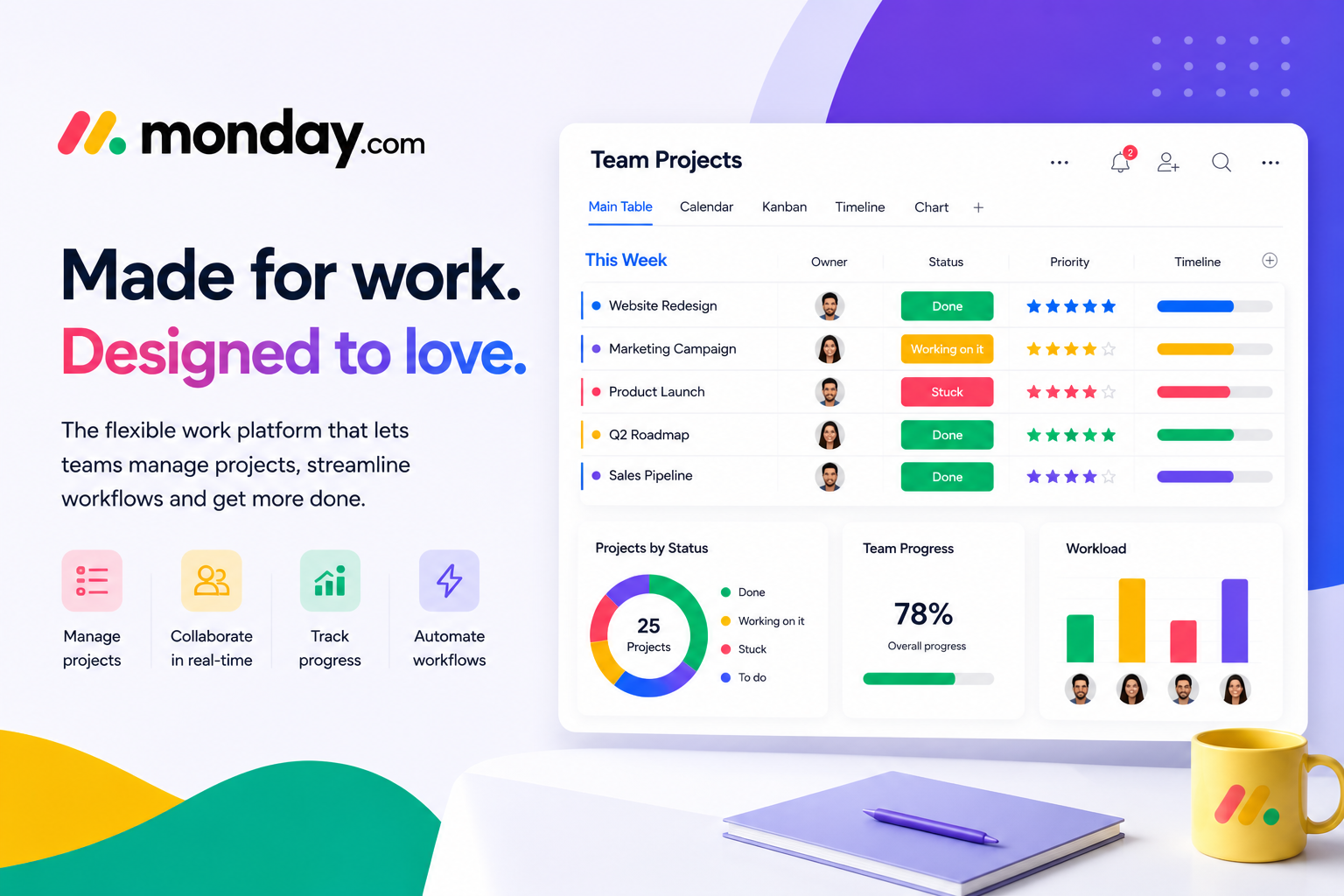
Without a clear workflow, even a great idea can become difficult to manage. monday.com is designed to help teams turn ideas into structured, trackable work by connecting planning, execution, collaboration, reporting, and automation within one platform.
Step One: Give the Idea Somewhere to Live
Ideas often begin in conversations, meetings, emails, or notes. The problem is that these places aren’t always designed for managing an entire project.
With monday.com, teams can create structured workspaces and boards where information can be organized from the beginning. Boards can contain items, groups, and columns that represent different aspects of the work being managed. This creates a foundation for turning an idea into an actionable plan.
Step Two: Break the Big Picture into Smaller Pieces
“Launch the campaign” is a goal.
It isn’t a task.
A real campaign may involve:
- Creating the campaign brief
- Researching the audience
- Writing copy
- Designing creative assets
- Reviewing content
- Approving materials
- Scheduling publication
- Monitoring results
Breaking a large objective into smaller tasks makes responsibilities easier to understand.
monday.com‘s task management capabilities are designed to help teams organize individual tasks as well as larger projects, with customizable views that help users see work in different ways.
Step Three: Make Ownership Obvious
● A task without an owner can easily become everyone’s responsibility—and therefore nobody’s responsibility.
● Clear ownership removes that uncertainty.
● When work is organized with assigned responsibilities, team members can quickly understand what belongs to them and managers can see who is responsible for different parts of a project.
● This becomes particularly valuable when multiple departments are working together.
Step Four: Put Deadlines in Context
● A deadline on its own doesn’t always tell the complete story.
● A task may depend on another task being completed first. A design may need approval before a campaign can launch. A supplier may need to deliver something before production can begin.
● Monday.com’s project management capabilities include Gantt charts and dependency management features that help teams visualize schedules, milestones, dependencies, and project timelines.
● This gives teams more context when planning complex projects.
Step Five: Automate the Boring Parts
● Not every part of a workflow requires human attention.
● Some actions happen repeatedly and predictably. That’s where automation can help.
● Monday.com supports no-code automations that can handle activities such as notifications, reminders, task creation, assignments, and handovers.
● For example, once a task moves to “Ready for Review,” an automation could notify the relevant reviewer. Instead of someone remembering to send a message, the workflow handles the routine action.
Step Six: Give Everyone the Right View
● Different people need different information.
● A team member may want to see today’s tasks. A project manager may need the complete timeline. An executive may only want high-level progress and risks.
● Monday.com supports multiple views and dashboards so teams can look at the same underlying work from different perspectives.
● This can make information easier to understand without forcing every person to work from the same screen.
Step Seven: Connect the Tools You Already Use
● Teams rarely use only one software application.
● They may rely on calendars, cloud storage, communication platforms, forms, CRM systems, and other business tools.
● Monday.com provides integrations that allow teams to connect workflows with other applications, helping information move between systems instead of requiring every action to be completed manually.
● This is particularly useful for businesses that already have established technology stacks.
Step Eight: Let AI Assist with the Workflow
Modern work management is moving beyond simple task tracking. monday.com currently includes AI capabilities that can help teams with areas such as workflow automation, task management, scheduling, status reporting, project planning, and risk monitoring. For teams handling large volumes of work, intelligent assistance can help reduce administrative effort and surface information that may require attention.
What Does a Better Workflow Look Like?
A well-designed workflow should answer a few simple questions:
● What needs to happen?
● Who is responsible?
● When is it due?
● What is blocking progress?
● What happens next?
When these answers are visible, teams don’t have to rely entirely on memory, meetings, or scattered messages.
That’s the real value of structured work management.
Built for More Than Project Managers
Although project management is a major use case, monday.com is designed for much more than traditional project tracking. Its current platform supports teams across marketing, operations, IT, HR, sales, product development, and other business functions.
This makes it possible for organizations to use connected workflows across departments rather than treating every team’s work as a separate system.
Worth Keeping in Mind
Great ideas are easy to lose when execution becomes complicated.
A clear workflow can turn an idea into a series of manageable actions, assign ownership, make deadlines visible, automate repetitive steps, and give teams a better understanding of progress.
monday.com provides the flexibility to build these workflows around different teams and business processes. From simple task lists to complex projects involving multiple departments, the platform gives teams a centralized environment for planning, executing, collaborating, and reporting.
The next time your team says, “We should do this,” the real question is: “How are we going to get it done?”
With the right workflow, that answer can become much clearer.