


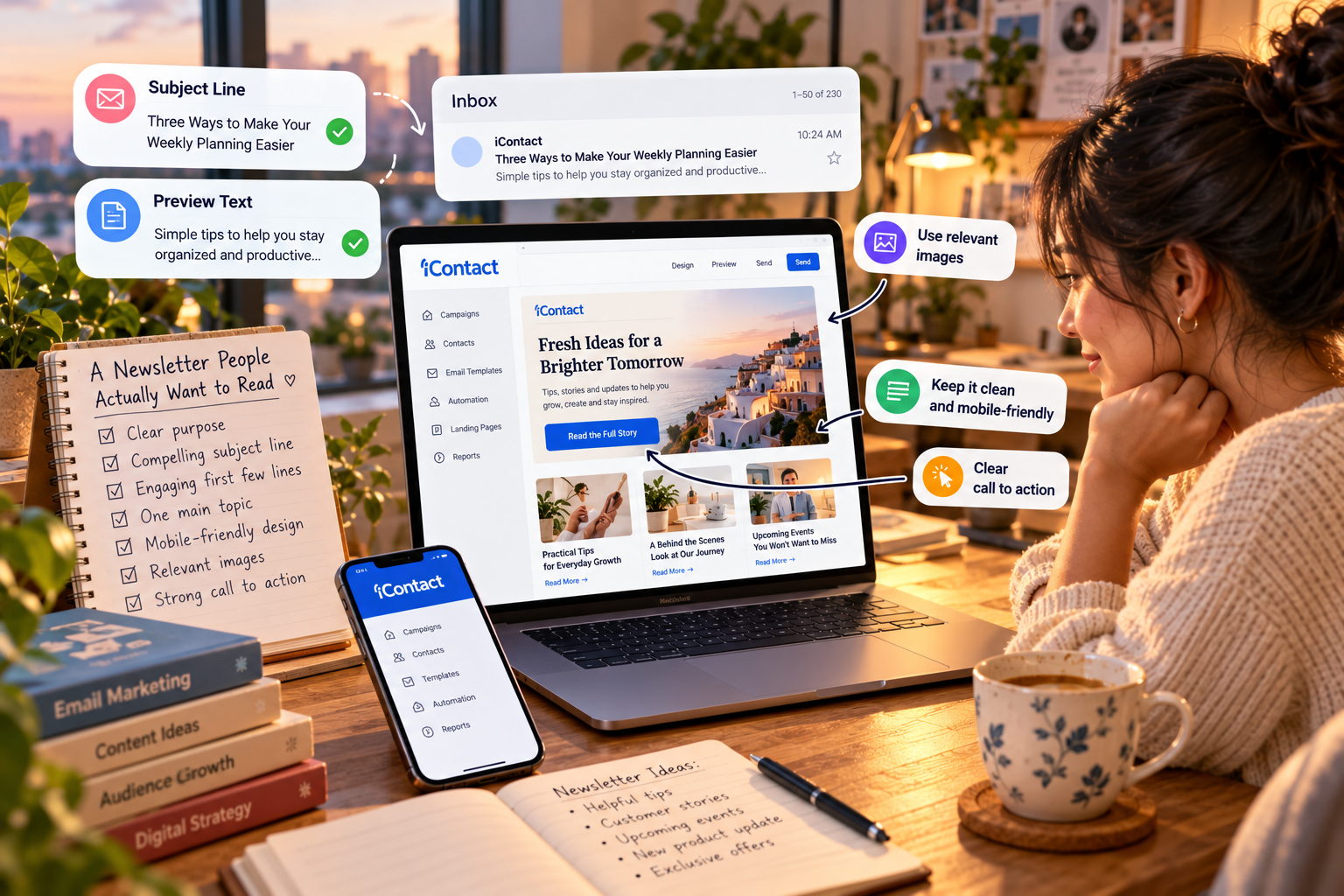
Think about the last promotional email you received. Did you open it, read a few lines, and click through? Or did you delete it without a second thought? That tiny decision is the challenge every email marketer faces. People receive plenty of messages, and simply appearing in an inbox is no longer enough. With iContact, businesses can create and send email campaigns, but the real opportunity lies in giving subscribers a reason to open, read, and respond. Here is how to make every message feel more useful and less like another interruption.
Why Most Newsletters Get Ignored
People rarely ignore an email simply because they dislike email. More often, the message arrives at the wrong time, feels irrelevant, or asks for attention without offering anything worthwhile. A newsletter that only talks about a business can quickly become predictable. When using iContact, start by thinking about the person receiving the email. What might they need today? What problem could you help solve? What would make your message worth a few minutes of their time?
Give Every Email a Clear Purpose
Before writing a newsletter, finish this sentence: “After reading this email, I want the subscriber to…” Perhaps you want them to learn something, explore a product, register for an event, or reply with a question. That single objective gives your message direction. With iContact, you can work toward a more organized campaign process, but the message itself still needs a clear reason to exist. If you cannot explain its purpose in one sentence, simplify it before sending.
Write Subject Lines That Sound Human
Your subject line is a small piece of writing with a surprisingly important job. It must give readers enough information to understand why opening the email might be worthwhile. Instead of using vague phrases such as “Our Latest Update,” try something specific, such as “Three Ways to Make Your Weekly Planning Easier.” When preparing a campaign with iContact, keep the subject line relevant to the actual content. Curiosity can earn an open, but misleading promises can damage trust.
Make the First Few Lines Count
Once someone opens your email, the next challenge is keeping their attention. Long introductions, generic greetings, and unnecessary background can make readers lose interest before reaching the useful part. Start with a question, an everyday problem, an unexpected observation, or the benefit of reading further. If you are building newsletters through iContact, write the opening as though you are explaining something to one person rather than addressing an enormous crowd.
Stop Trying to Say Everything at Once
A newsletter does not need to contain every announcement, update, offer, and idea your business has ever produced. Too many competing messages make it difficult for readers to understand what matters most. Choose one main topic and build the email around it. You can use iContact to organize your email campaigns, but a focused message is what helps readers follow through. If you have three unrelated ideas, consider turning them into three separate emails instead of squeezing them into one.
Design for People Who Read on Their Phones
An email that looks elegant on a large screen can become frustrating on a phone. Tiny text, crowded sections, oversized images, and difficult-to-tap buttons all create unnecessary friction. Keep the layout clean, use readable text, break long sections into short paragraphs, and make important links easy to find. When creating emails with iContact, preview the message on different screen sizes whenever possible. A simple design that works well is more valuable than a complicated design that gets in the way.
Use Images With a Reason
Images can make a newsletter more inviting, but adding visuals simply to fill empty space rarely improves the message. A product photograph can help someone understand an offer. An illustration can explain a process. A relevant image can establish the mood of a campaign. Every visual should support the email’s purpose rather than compete with it. As you build campaigns in iContact, keep the balance between text and imagery in mind, and make sure the main message remains understandable even if images do not load.
Make Your Call to Action Easy to Understand
Imagine reading an interesting newsletter and reaching the end without knowing what to do next. Should you visit a website, read an article, register for something, or reply? That uncertainty can stop an interested reader from taking action. Give each email one primary call to action and describe the next step in plain language. When preparing a campaign through iContact, use clear wording such as “Read the Guide,” “Explore the Collection,” or “Reserve Your Place” when those actions accurately describe the destination.
Personalization Should Feel Helpful, Not Intrusive
A message can feel more relevant when it reflects a subscriber’s interests, previous interactions, or preferences. Someone who signed up for practical business tips may not want every message to focus on product discounts. Someone interested in a particular topic may appreciate receiving more information about it. With iContact, explore the available contact-management and segmentation options to see how you can make messages more relevant. Use the features available on your plan, respect subscriber preferences, and avoid collecting information you do not need.
Create a Welcome Email That Sets Expectations
The first email someone receives after subscribing can shape their opinion of your future messages. A useful welcome email thanks them for joining, explains what they can expect, and delivers anything promised during signup. You might also introduce your business briefly or point them toward a helpful resource. If your plan with iContact supports the automation you need, a welcome message can be arranged to send after someone subscribes. Check the current plan details before relying on a particular automation feature.
Find a Sending Rhythm Your Readers Can Trust
Send too rarely, and subscribers may forget who you are. Send too frequently without offering value, and they may decide they have heard enough. There is no universal schedule that works for every audience. A weekly newsletter may suit one business, while a monthly update may be more appropriate for another. When planning emails with iContact, choose a realistic frequency you can maintain and tell subscribers what to expect when they sign up. Consistency should make the experience dependable, not repetitive.
Test Before You Send
A broken link or a spelling mistake can undermine an otherwise excellent campaign. Before sending, check the subject line, preview text, formatting, images, links, and call to action. Send yourself a test email and read it on a phone as well as a computer. Make sure the destination of every important link matches its wording. If you use iContact, check which preview, testing, and campaign-review features are available to you. A few minutes of checking can prevent an avoidable mistake from reaching your entire list.
Learn From the Results Without Chasing Every Number
After a campaign goes out, it is natural to wonder whether it worked. Start with a few useful measures, such as clicks, conversions where you can track them, unsubscribes, and replies. Open rates can provide context, but privacy protections and automatic image loading can make them less reliable as a measure of genuine interest. The reporting available through iContact can help you examine campaign performance, depending on your plan. Look for patterns across several sends, then make one thoughtful improvement at a time instead of changing everything after a single result.
Keep Your List Healthy and Your Trust Intact
A large subscriber list can look impressive, but size alone does not tell you whether people want your messages. Use permission-based signup methods, make it clear what subscribers are agreeing to receive, and provide an easy way to unsubscribe. Remove invalid addresses and follow applicable email marketing rules. When managing contacts through iContact, review its current terms and guidance for responsible sending. Protecting trust is not simply a technical task; it is part of maintaining a healthy relationship with your audience.
A Simple Four-Week Newsletter Plan
You do not need to launch a complicated email strategy in a single afternoon. In the first week, define your audience, choose your newsletter’s purpose, and decide what subscribers will receive. In the second, create a signup form and draft a welcome email. In the third, write your first newsletter and test it carefully. In the fourth, send the campaign, review the results, and record one lesson for the next send. You can use iContact as part of this process, checking its current features and pricing to make sure they suit your needs. The goal is not a perfect newsletter on day one; it is a repeatable process that improves over time.
Is iContact the Right Fit for Your Newsletter?
The right platform depends on what you need to send, how many contacts you manage, and how much complexity you want to handle. If you are starting with straightforward newsletters, look at ease of use, templates, list management, reporting, support, and the cost of the plan you would actually need. If automation or landing pages matter to you, verify that the current plan includes the specific features you want. Before committing to iContact, check the official terms and current pricing rather than relying on older reviews. A useful platform should fit your workflow and budget, not force you to pay for features you will never use.
A Word of Honesty
Email marketing takes time, and no platform can guarantee that people will open every message or become customers. Results depend on the quality of your content, the relevance of your offers, your audience, and the consistency of your efforts. Features, plan limits, and prices can also change, so verify current details before making a decision. Treat iContact as a tool that can support your process, not a replacement for understanding your readers. If your newsletter is not producing the response you hoped for, revisit the message, the audience, and the value you are offering before assuming that software is the problem.
Final Thoughts
A newsletter worth reading does not need clever tricks or elaborate design. It needs a clear purpose, a useful message, a subject line that sets honest expectations, and a reason for the reader to care. Start small, ask people for permission, keep your promises, and learn from each campaign. If the available tools and terms fit your requirements, explore iContact and begin building a newsletter you can sustain. The most valuable result is not simply another email sent. It is a growing group of people who choose to hear from you because your messages consistently give them something worthwhile.